
Hypervolt Home 3 Pro: what it does, from the people who fit it.
The Hypervolt Home 3 Pro from the installer's side: 7.4 kW, Boost, Eco and Super-Eco, the CT clamp, PEN fault protection, cable lengths and the survey.
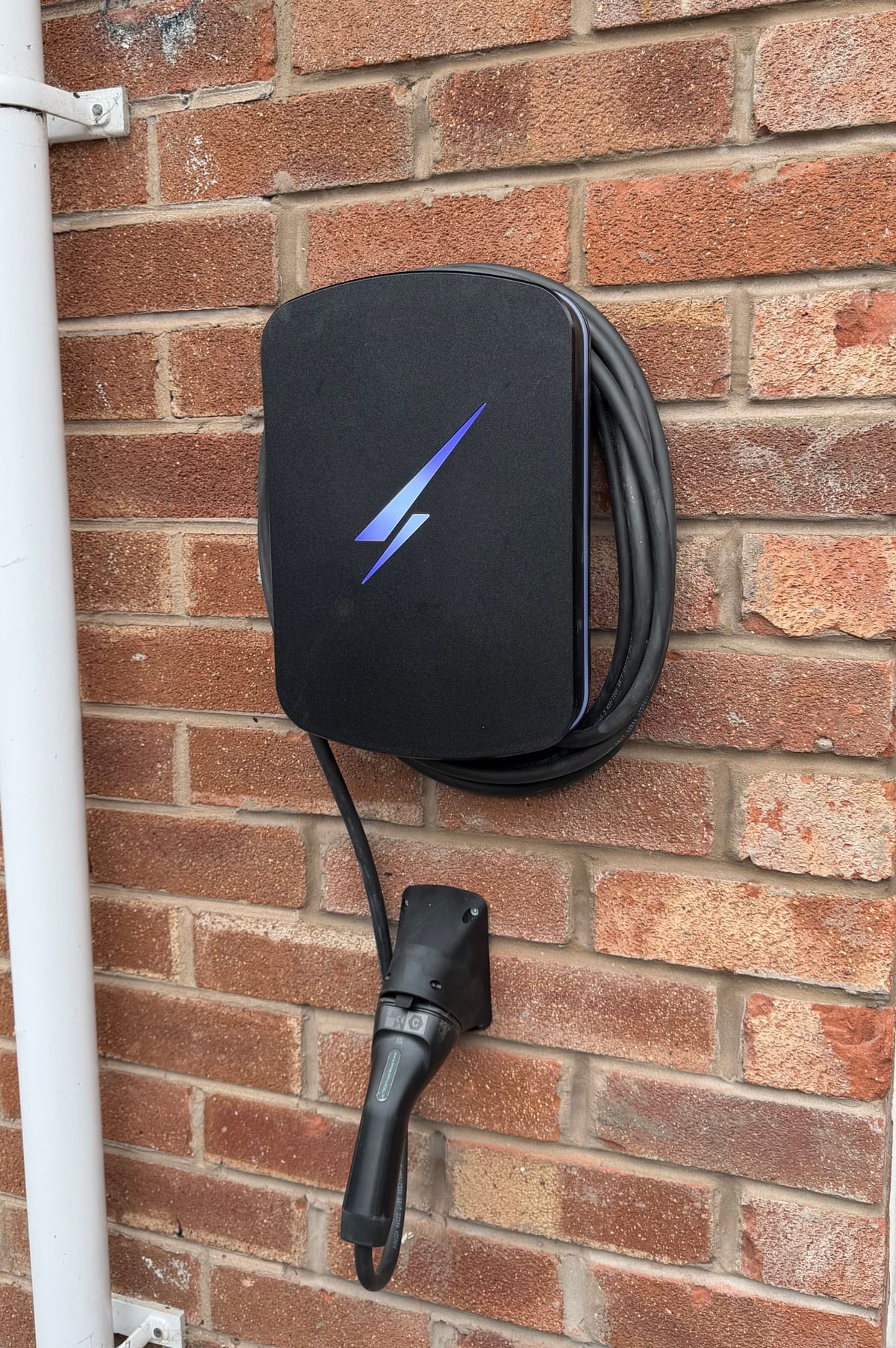
The Hypervolt Home 3 Pro is a tethered, 7.4 kW single-phase home EV charger with solar-aware charging modes, automatic load management through a clamp on your incoming supply, and PEN fault protection built in. It is the home charger Hypervolt currently sells in the UK, and it is the one we fit. Below is what each part of it does, taken from Hypervolt’s own published specifications, and what we look at before one goes on your wall.
What the Hypervolt Home 3 Pro is
Hypervolt publishes the Home 3 Pro at 7.4 kW on a 230 V single-phase supply, drawing up to 32 A. That is the practical ceiling for most homes. The Energy Saving Trust points out that 22 kW charging needs a 400 V three-phase supply, which few houses have, and that the car’s own onboard charger caps the speed whatever the wall unit is rated at.
The casing is built for an outside wall. Hypervolt rates it IP66 for water and dust and IK10 for impact, for mounting on a wall or a post, and publishes an operating range of −25 °C to 40 °C. The front cover comes in Ultra White, Space Grey or Ultra Black and can be swapped by hand. Inside, Hypervolt lists five thermal sensors that turn the charging down if the unit gets too hot.
| What Hypervolt publishes | Home 3 Pro |
|---|---|
| Power | 7.4 kW, 230 V AC single phase, 32 A maximum |
| Cable | Tethered, Type 1 or Type 2; 5 m standard, 7.5 m or 10 m (10 m in Type 2 only) |
| Enclosure | IP66 and IK10, wall or pole mounted |
| Size | 328 (H) × 243 (W) × 101 (D) mm |
| Weight | 6.2 kg (5 m), 6.9 kg (7.5 m), 7.3 kg (10 m) |
| Operating range | −25 °C to 40 °C, up to 95 % humidity non-condensing |
| Protection | Internal 6 mA DC RCD, integrated PEN fault protection; external MCB or RCBO required |
| Connectivity | Wi-Fi at 2.4 GHz, Bluetooth LE; Hypervolt also lists Ethernet and over-the-air updates |
Charging modes: Boost, Eco, Super-Eco and Battery-Safe
Hypervolt publishes four ways for the charger to behave, and you switch between them in the app.
- Boost charges the car straight away at the most power available, up to 32 A, from whatever source.
- Eco puts solar and home battery energy first, but holds a minimum charge rate of 1.4 kW so the car keeps charging when the sun goes in. The grid makes up the gap.
- Super-Eco charges using only solar and home battery energy, with nothing drawn from the grid. It needs around 1.4 kW of surplus to start.
- Battery-Safe builds on Super-Eco, needs around 1.9 kW of surplus, and pauses charging if your home battery starts to discharge by accident.
That last one matters if you have both a battery and a car. Left alone, a solar-aware charger and a home battery can pull against each other, and the car can end up emptying the battery. Our guide to charging an EV from your own solar goes into how the surplus is shared.
Under the Electric Vehicles (Smart Charge Points) Regulations 2021, every new home charger also arrives with default charging hours set outside peak times, which the owner can change or remove. If you would rather the Home 3 Pro waited for the sun, that is a setting, not a limitation.
The CT1 clamp and load management
The charger cannot see your house from where it is mounted. It relies on a current clamp, which Hypervolt calls CT1, fitted round the incoming live tail at the meter. Hypervolt is plain about its two jobs:
- CT1 is required under UK wiring regulations to support automatic load management, which turns the charger down in real time so the house does not go over its main fuse.
- CT1 is essential for solar charging. Without it, Hypervolt says, the charger cannot detect surplus solar at all.
A second clamp, CT2, is supported on Home 3.0 and later, and Hypervolt says it is only needed if you have an AC-coupled battery. A battery that shares one hybrid inverter with the panels does not need it.
PEN fault protection and earthing
Many UK homes are fed on a TN-C-S supply, where the neutral and the earth share one conductor, called the PEN conductor, in the cable from the street. A PEN fault is a break in that shared conductor. Hypervolt builds PEN fault protection into the Home 3 Pro, compliant with Amendment 2 of BS 7671:2018, and lists it for TN-C-S, TN-S and TT earthing.
Two things the unit leaves to the installer. Overcurrent protection is not built in: Hypervolt requires an external MCB or RCBO on the circuit feeding it. And the earthing arrangement at your property still has to be checked on the day, because the right design depends on what is there. That is part of every survey we do.
Tethered only, in three cable lengths
All Hypervolt chargers are tethered: the cable is permanently attached to the unit and there is no socket version. Hypervolt publishes three lengths, 5 m as standard with 7.5 m and 10 m available, and the 10 m cable comes in Type 2 only.
The right length depends on where the charger goes and where the charge port is on your car, and on any car you might own next. A longer cable is heavier to coil, so we measure from the wall to the port with the car parked the way you normally park it.
Intelligent Octopus Go and the Home 3 Pro
Hypervolt announced on its own blog, on 30 September 2024, that all Hypervolt Home 3 and Home 3 Pro customers can enable the Octopus Intelligent Go integration. On that tariff Octopus schedules the car’s charging for you. Octopus keeps its own list of the chargers and cars it supports, so check its current eligibility before you switch. Our guide to Intelligent Octopus Go and your home charger covers how the tariff sits with solar and a home battery.
Hypervolt or Zappi?
A lot of people searching for a Hypervolt review are weighing it against myenergi’s Zappi, another solar-aware charger on the market. We fit Hypervolt, so that is the charger we can speak to in detail. Whichever you look at, the questions are the same: does it have a solar-only mode, does it manage the load on your supply, and how does it behave with a home battery?
What we check on a survey
Before a Home 3 Pro goes up, we look at:
- Your supply and its maximum demand. The Energy Networks Association says that where maximum demand including the charger is 60 A per phase or less and the supply is adequate, the installer can fit first and notify the network operator within 28 days. Above that, the installer must apply first unless a scheme caps the property at 60 A. Electricity North West, which serves Greater Manchester and parts of Cheshire, also says a looped supply needs a new supply before a charger goes in.
- The earthing arrangement, so the protection is designed around what is actually there.
- The run to the meter tails, because CT1 has to reach them.
- Space at the consumer unit for the MCB or RCBO Hypervolt requires.
- Where the car parks, which sets the cable length and the mounting height.
- Signal at the wall. If the Wi-Fi is weak at the end of the drive, a wired connection is the steadier choice.
- Planning. In England, the permitted development rules for wall chargers change from 21 October 2026, including a 1.6 m maximum height above ground for the outlet. Wales keeps its 2019 rules. Our post on EV charger planning permission sets out both.
What we’d do
We put the Home 3 Pro where the cable reaches the port without stretching across a path, and we set the clamp before anything else, because both load management and the solar modes depend on it. If you have panels, we set Eco or Super-Eco with you before we leave. If there is a home battery as well, we talk through Battery-Safe and decide together which gets the surplus first. The network operator notification is ours to send.
Hypervolt fitting near you
There is more about the charger on our Hypervolt page, and about the whole job on our EV charger installation page. We fit the Home 3 Pro across Cheshire, Merseyside and the Wirral and Greater Manchester, from our base in Ellesmere Port.