
Tesla Powerwall 3 explained: the battery, the inverter and the gateway.
Tesla Powerwall 3 in plain terms: 13.5 kWh, a solar inverter built in, Backup Gateway 2, Expansion units, where it can go, the app and the G98 or G99 step.
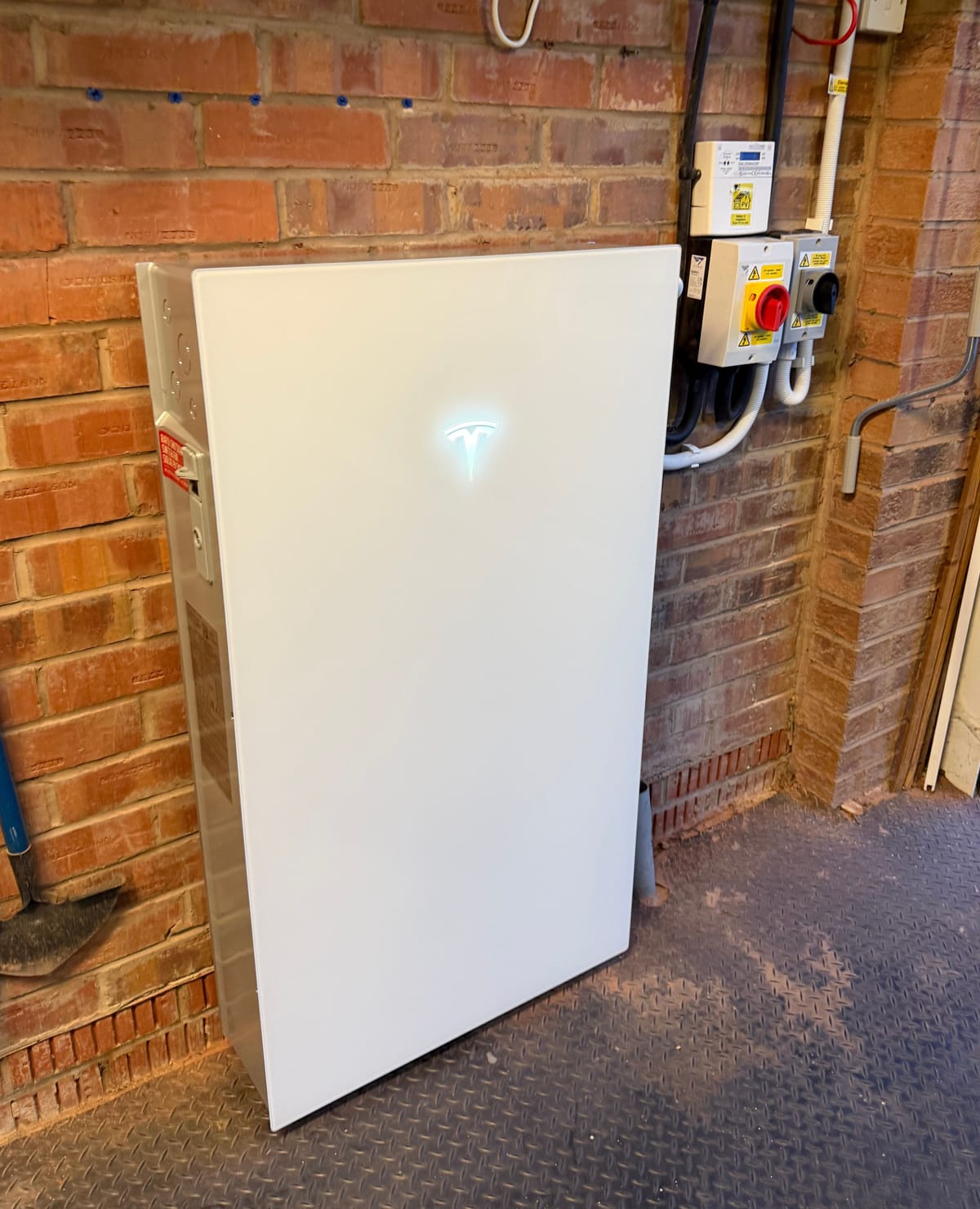
The Tesla Powerwall 3 is a home battery with a solar inverter built into the same box. Tesla publishes 13.5 kWh of storage per unit and up to 11.04 kW of output, and it is installed with a Backup Gateway 2 that switches the house over when the grid goes down. One Powerwall 3 can run your panels and your storage together, and more units or battery-only Expansions can be added later. We fit it, and this is how it is put together, from Tesla’s own published specifications.
What’s inside a Tesla Powerwall 3
Most home batteries need an inverter beside them, or a hybrid inverter that sits above the battery. Powerwall 3 carries its own. Tesla publishes three solar inputs, each with its own maximum power point tracker, and a solar-to-grid efficiency of 97.5 %. On a new solar install the panels are wired straight into the Powerwall rather than into a separate inverter.
The installation manual adds the detail behind that. It lists a maximum solar input of 20 kW at standard test conditions, a PV input range of 60 to 550 V and 30 A per tracker. Three inputs means panels on different faces of a roof can be handled separately, which helps where an east and a west roof see the sun at different times.
Capacity and power
Tesla publishes 13.5 kWh per unit. The manual describes that as the nominal energy at 25 °C at the beginning of the battery’s life.
Output is a separate number from capacity. Capacity is how much the battery holds; output is how fast it can deliver it. Tesla publishes up to 11.04 kW on grid and in backup, depending on local conditions, and the manual lists configurable outputs from 3.68 kW up to 11.04 kW. The setting chosen for a house is part of the design, and it feeds straight into the network operator paperwork below.
Charging the battery is slower than discharging it. The manual gives a maximum continuous charge power of 5 kW for a Powerwall 3 on its own, configurable up to 8 kW with Expansion units. Round-trip efficiency, solar to battery to grid, is published at 89 %.
| What Tesla publishes | Powerwall 3 |
|---|---|
| Energy capacity | 13.5 kWh per unit |
| Output, on grid and backup | Up to 11.04 kW, configurable from 3.68 kW |
| Continuous charge | 5 kW alone, up to 8 kW with Expansions |
| Solar inputs | Three, with MPPTs; 97.5 % solar-to-grid efficiency |
| Round-trip efficiency | 89 % |
| Size and weight | 1,105 × 609 × 193 mm, 130 kg |
| Enclosure | IP55, indoor and outdoor rated |
| Operating range | −20 °C to 50 °C, may de-rate above 40 °C |
| Grid | 230 V single phase, 50 Hz; G98, G99 and G100 listed |
Backup Gateway 2: what happens in a power cut
Powerwall 3 goes in with a Backup Gateway 2. Tesla’s system overview describes its job: it controls the grid connection, monitors what the house is drawing, and manages the switch into and out of backup.
When the grid drops, the gateway separates the house from the network so the battery and the panels can keep it running safely. When the grid comes back, it manages the move back. Tesla also publishes a motor start rating of 185 A locked rotor amps, which is the figure that matters for things like pumps and compressors that draw a surge when they start.
The gateway needs its own space on the wall, close to where the supply comes in, so we plan its position alongside the battery’s.
Adding capacity: Powerwall 3 and Expansion units
Tesla lists up to four Powerwall 3 units and up to three Expansion units on one system, seven in total. The two are not the same thing:
- Powerwall 3 has the battery and the inverter, and takes solar.
- Powerwall 3 Expansion is battery only. It has no inverter and no solar connection, and it cannot be installed without a Powerwall 3 to run it. Tesla says it can be stacked behind the Powerwall 3 or wall mounted beside it.
So a house that wants more storage without more inverter can add an Expansion, while a house that needs more output or more solar inputs adds another Powerwall 3. Tesla says expansion is available at any time, so a system does not have to be sized for the next ten years on day one.
Where a Powerwall 3 can go
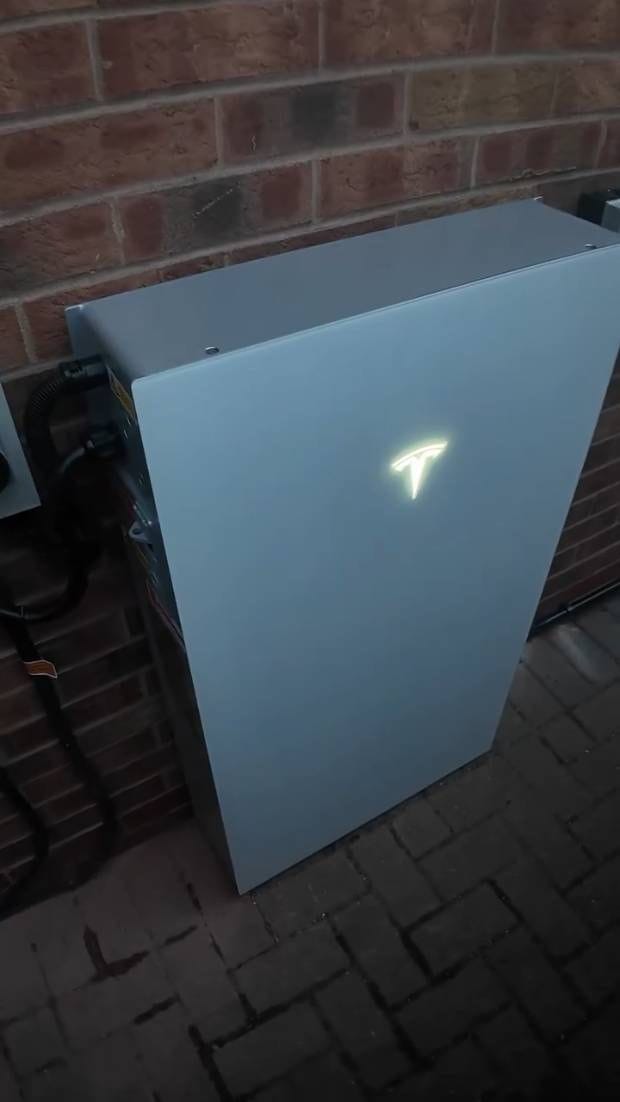
Tesla publishes the unit at 1,105 × 609 × 193 mm and 130 kg, for floor or wall mounting, indoors or outdoors. The enclosure is rated IP55, with the battery and power electronics inside rated IP67, and Tesla publishes flood resistance up to 0.6 m. The operating range is −20 °C to 50 °C, with performance that may be de-rated above 40 °C.
In practice:
- Weight. At 130 kg, the wall or the base has to be right. That is a survey question, not a delivery-day one.
- Heat. A south-facing wall that bakes all afternoon is a worse home than a shaded side wall or a garage.
- Noise. The manual gives under 50 dB(A) typical and under 62 dB(A) maximum at one metre. Quiet, but not silent, so we would not choose the wall under a bedroom window.
- Signal. Tesla lists Wi-Fi on 2.4 and 5 GHz, wired Ethernet and a cellular connection, so monitoring still works where the house Wi-Fi does not reach.
The Tesla app: Storm Watch and charging from surplus
The Tesla mobile app is how you see and run the system. Tesla describes three features worth knowing about:
- Storm Watch charges the battery to full ahead of forecast severe weather, so it is ready if the power goes.
- A savings mode for households on variable-rate tariffs.
- Charging the car from surplus solar. The settings can be adjusted so an electric car charges only from excess solar. We supply the Tesla Wall Connector on request for households that want a Tesla charger alongside.
G98, G99 and the network operator
Tesla lists G98, G99 and G100 under grid interoperability for Powerwall 3. Those are the standards the network operator works to. Which one applies to your house depends on the total rating of everything on your supply that can export, which is why the output setting matters. A small system may only need a G98 notification after it is fitted; a larger one needs a G99 application and the network operator’s agreement before it goes live. Our guide to G98, G99 and your network operator explains the difference, and we handle the paperwork for the systems we fit.
If you already have solar panels
Powerwall 3 is at its most straightforward on a new install, where the panels go straight into it. If your panels already have their own inverter, how the battery joins them is a design question we answer at the survey, looking at the age and rating of what is there. Our post on adding a battery to the solar you already have covers the general choices, and our battery retrofit page covers the job itself.
What we’d do
We start with how you use electricity: when the house is busiest, whether there is a car, and what you would want to keep running in a power cut. That sets the output, the number of units and whether an Expansion makes more sense than a second Powerwall 3. Then we pick the wall for weight, heat, noise and signal, place the Backup Gateway 2 near the incoming supply, send the network operator paperwork, and set the app up with you before we leave.
Tesla Powerwall 3 near you
There is more on our Tesla Powerwall page and our home battery storage page. We fit Powerwall 3 across Cheshire, Merseyside and the Wirral and Greater Manchester.